The basics
- Simplex
- Two or more radios talking directly on one frequency. Only one person can talk at a time.
- Node
- A fixed station, often at home, that sits on a simplex channel so people nearby can reach it at any hour.
- Repeater
- A station on a tall site that listens on one frequency and retransmits on another, to extend range.
- Simplex node
- A fixed simplex station that acts as a meeting point. It has no offset and no retransmission by itself.
- Our simplex node
- WSFW755 on 462.550 MHz, PL tone 141.3 Hz, run by Josh in Cuyahoga Falls, Ohio.
Simplex versus repeater
| Simplex node | Repeater | |
|---|---|---|
| Range | A few miles, set by height and terrain | Often a whole county, set by the tower |
| Frequencies | One, for both talk and listen | Two, 5 MHz apart |
| Setup | Radio, antenna, power | Radio, tower, duplexer and controller |
| Cost to use | Free, within the rules | Set by the repeater owner |
| Works without a tower | Yes | No |
| Best for | Neighbors, convoys, events, emergencies | Reaching across town or between valleys |
GMRS channels
There are 22 channels. Our simplex node is channel 15 at 462.550 MHz, and the repeater outputs on 462.675 MHz with 467.675 MHz as its input.
| Channels | Frequencies | Power | Notes |
|---|---|---|---|
| 1 to 7 | 462.5625 to 462.7125 MHz | Up to 5 W | Shared with FRS radios |
| 8 to 14 | 467.5625 to 467.7125 MHz | Up to 0.5 W | Handheld channels, no repeaters |
| 15 to 22 | 462.5500 to 462.7250 MHz | Up to 50 W | Main GMRS channels, repeater outputs |
| Repeater inputs | 467.5500 to 467.7250 MHz | Up to 50 W | Where your radio transmits to a repeater |
What simplex nodes are used for
- Neighborhood check-insReach nearby licensed families without needing a repeater.
- Convoys and road tripsKeep vehicles in contact on a shared channel.
- Events and festivalsCoordinate volunteers across a field or downtown.
- Outages and stormsRadios still work when cell towers and power are down.
- New operator practiceTry a radio check in a low-pressure place.
What decides your range
Antenna height
Every extra foot helps. Getting the antenna up and clear is the biggest gain.
Antenna type
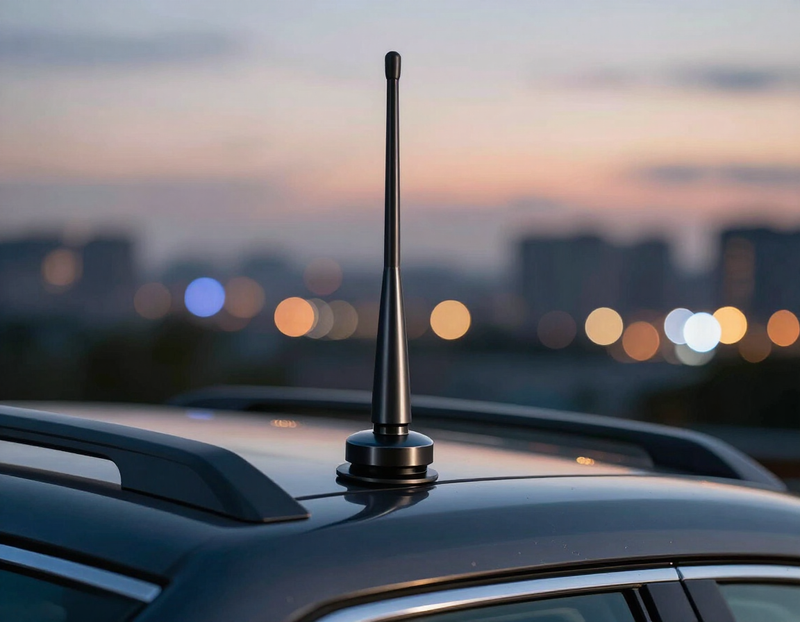
A proper outdoor GMRS antenna beats a rubber-duck on a handheld.
Feedline
Short, good-quality coax loses less signal. Poor cable wastes power.
Terrain
Hills, valleys and dense trees block UHF. Open ground gives the longest reach.
Buildings
Metal and concrete weaken signals. Near a window or outdoors is better.
Power
More watts help, but less than a better antenna. High power also uses more battery.
Setting up a simplex node
- 1
Choose a channel
Pick a free simplex channel and a tone. Ours is 462.550 with 141.3.
- 2
Mount the antenna
Put it as high as safely possible, away from other antennas.
- 3
Connect the radio
Use short coax, a steady 13.8 V supply and good grounding.
- 4
Identify
Say your call sign at least every 15 minutes while in use and when you finish.
- 5
Test
Ask neighbors for radio checks and note where the signal drops off.
- 6
Publish the details
Share the frequency and tone with your community so people know where to find you.
Types of simplex nodes
Portable node
A handheld or small radio in a go-bag that you set up at an event or during an outage.
Base node
A fixed radio at home with an outdoor antenna, ready for check-ins at any time.
Mobile node
A radio in a vehicle that you can park on a hill for better coverage.
Community node
A shared station maintained by a group so neighbors have one known meeting point.
Net control node
A node used by the host of a scheduled net to take check-ins.
Troubleshooting
- No one answers
- Make sure you are on the right channel, tone and power. Try a radio check from higher ground.
- Signal is weak or noisy
- Check the antenna and cable. Move away from metal and outdoor noise sources.
- You hear other users
- Another group is on the channel. Wait for a pause or choose a different tone.
- Radio will not transmit
- Make sure the channel is not set to receive only and the battery is charged.
- Your tone is not working
- Match the transmit and receive tone to the node, 141.3 Hz here.
- Short range
- Raise the antenna, use a better one, and clear obstacles.
AllStar nodes
AllStar is free software that links radios over the internet. A radio on a small computer becomes a node with its own number, and any node can connect to any other, so a local signal can reach across the country.

What a node is
A radio, a small computer and an internet connection running AllStar. Each node gets a number that other nodes use to find it.
Connecting nodes
From a radio or the AllStar dashboard you connect to another node number. Both stations then hear each other until one disconnects.
Links and hubs
Many nodes join a shared hub for a group or region, so a net can include people far outside radio range.
Hardware you need
A GMRS radio, a USB sound interface to connect it to the computer, a Raspberry Pi or similar, and a steady home internet connection.
Rules still apply
A node on GMRS frequencies needs an FCC GMRS license, one license covers you and your family, with no test. Identify every 15 minutes and keep to GMRS power limits.
FRS-only radios
Radios that only use FRS channels need no license, but they have strict limits: low power, a fixed antenna, and no repeaters or internet linking. A linked node belongs on GMRS.
Node numbers
Every public node has a number. You connect by entering that number, and you disconnect with a matching command when you are done.
Dashboards
A web dashboard shows which nodes are linked and who is talking, and lets you connect or disconnect from a browser.
Private or public
A node can stay private for your family, or be listed so other operators can find and call it.
Coverage
A simplex node only covers what its antenna can reach. A higher, clear antenna gives the node a wider footprint.
Good manners
Listen before you connect, announce yourself, and leave busy links alone. Disconnect when you finish so the node is free for others.
Hotspot radios
A hotspot radio is a ready-made node: a small radio and computer in one box that connects to your home internet and puts a local signal on the air. It is the quickest way to start with AllStar without building anything yourself.
For current models, prices and specifications, go to the maker directly so you get accurate details.
Visit HotspotRadio.comWant to know how this station's node is set up or which node number to connect to? Send a request from the access form.
Running a node the right way
A simplex node is a normal part of the hobby when it is run by a licensed operator who follows the FCC rules. Nobody can promise that a setup is legal in every case, so check the details against FCC Part 95 or ask the FCC before you put a node on the air.
- Hold a valid FCC GMRS license. One license covers you and your immediate family and needs no exam.
- Give your call sign when you start and at least every 15 minutes, plus when you finish.
- Stay on GMRS channels and within the power limit for the channel you use.
- No encrypted or scrambled audio, no music, and no business advertising.
- Keep a linked node under control. Someone responsible must be able to shut it off.
- Do not use a GMRS node for anything an FRS-only radio is not allowed to do, and do not run it through unlicensed equipment.


Simplex questions
- Do I need a license to use a simplex node?
- Yes. Everyone who transmits on GMRS needs an FCC license, and one license covers your immediate family.
- Is a simplex node the same as a hotspot?
- Not exactly. A simplex node is a radio station on a shared channel. Some nodes link to other systems, but ours is a local station.
- Why use a PL tone?
- It keeps the speaker quiet unless someone sends the matching tone, so you do not hear unrelated chatter.
- Can I use a simplex node during an emergency?
- Yes. Emergencies come first. Clear the channel and help where you can.
- Can more than one person use it at once?
- Only one person can talk at a time. Listen first, then press to talk, and leave a pause between calls.
- What do I say on my first call?
- Say your call sign, then ask for a radio check, for example: Radio check, any station, this is your call sign.